/oauth2/token
ZainCash Merchant Payment Gateway – Integration Guide
Thank you for choosing ZainCash, Iraq’s leading mobile payment network. The ZainCash Merchant Payment Gateway provides a secure, scalable, and seamless way for businesses to accept digital payments. By integrating our solution, you offer your customers a fast and familiar checkout experience directly through their mobile wallets.
Version
1.0
Updated
11 Aug, 2026
The ZainCash Payment Gateway v2 lets you accept payments from ZainCash wallets using a secure redirect flow, with real-time status updates via API and webhooks.
Payment Flow
A typical payment using the Payment Gateway v2 looks like this:
- Customer starts payment on your website or mobile app.
- Your backend authenticates with ZainCash using POST /oauth2/token.
- You create a transaction using POST /api/v2/payment-gateway/transaction/init.
- You redirect the customer to the Payment Gateway redirectUrl.
- Customer completes the payment (including OTP).
- ZainCash redirects the customer back to your successUrl or failureUrl with a JWT token.
- Your backend verifies the JWT and/or calls the Inquiry API to confirm final status.
- Optionally, you receive webhook notifications for status changes.
Environments
- Test: https://pg-api-uat.zaincash.iq
- Production: Provided during onboarding.
Use separate client credentials per environment.
High-level capabilities
- Wallet.
- OTP-based authentication where applicable.
- Inquiry and reversal APIs.
- JWT-based redirect and webhook callbacks.
This is the fastest way to go from zero to a working payment:
- Obtain your client_id, client_secret, and API key from ZainCash.
- Get an OAuth2 access token using client_credentials grant.
- Call the transaction/init endpoint to create a payment.
- Redirect the user to redirectUrl from the response.
- Handle the redirect to your successUrl/failureUrl using the token.
- Verify the JWT and update your order status.
1. Get Access Token
2. Create Payment
All API requests (except /oauth2/token) require a valid bearer token in the Authorization header.
Endpoint
Header | Value |
|---|---|
| Content-Type | application/x-www-form-urlencoded |
Body Parameters
Field | Type | Required | Description |
|---|---|---|---|
| grant_type | string | yes | Must be client_credentials. |
| client_id | string | yes | Your client ID. |
| client_secret | string | yes | Your client secret. |
| scope | string | yes | Space-separated scopes, e.g., payment:read payment:write. |
Get Access Token
Response
Use the access token in all subsequent API requests.
Create a new payment session and obtain the redirectUrl where you should send the customer to complete the payment.
payment:write
Header | Value |
|---|---|
| Authorization | Bearer <access_token> |
| Content-Type | application/json |
Field | Type | Required | Description |
|---|---|---|---|
| language | string | yes | Please make sure to choose the correct language based on your application locale. Supported values: "en" for English, "ar" for Arabic And "ku" for Kurdish. |
| externalReferenceId | string (UUID) | yes | Unique per request; use for idempotency and reconciliation. |
| orderId | string | yes | Your internal order identifier. |
| serviceType | string | yes | Any value you want stored alongside the transaction and shown on your merchant dashboard, for reference or operational use — for example the account id of the customer in your own system. Do not use the plus sign (+) or comma sign (,) characters. |
| amount.value | string / number | yes | Transaction amount. |
| amount.currency | string | yes | Must be IQD. |
| customer.phone | string | optional | Customer phone in international format (e.g., 96477...). |
| redirectUrls.successUrl | string | yes | Where the user is redirected after a successful payment. |
| redirectUrls.failureUrl | string | yes | Where the user is redirected after a failure or cancel. |
Create Payment
Request Body
Sample Response
Retrieve the latest status and details for a given payment transaction.
payment:read
Parameter | Location | Type | Required | Description |
|---|---|---|---|---|
| transactionId | Path | string (UUID) | yes | Transaction ID from the init response. |
Transaction Inquiry Request
Sample Response
Status Values
Refund a previously successful payment. Use a full reverse to return the whole amount in one call, or a partial refund to return part of it — partial refunds may be repeated until the cumulative refunded total reaches the original amount.
Full Refund
Reverse a successfully completed transaction in a single call. Once a full refund completes, no further refunds are accepted for that transaction.
reverse:write
Field | Type | Required | Description |
|---|---|---|---|
| transactionId | string (UUID) | yes | The original successful transaction ID. |
| reason | string | optional | Business reason for initiating the reversal. Maximum 44 characters after trimming; 45 or more is rejected with PGW-068. Commas are replaced before the reason is forwarded. There is no amount field — the full original amount is refunded. |
Reverse/Refund Request
Request Body
Field | Type | Description |
|---|---|---|
| id | long | Internal id of this refund attempt. |
| operationId | long | null | Banking operation id. Set on success, null on failure. |
| referenceId | string (UUID) | The original transaction's reference id. |
| reversalReferenceId | string | New UUID identifying this specific refund. Store it on your side for reconciliation. |
| status | string | COMPLETED on success, FAILED if the banking system rejected the refund. |
| refundType | string | FULL_REFUND or PARTIAL_REFUND. |
| customerId / customerMsisdn | int / string | The customer the money is returned to. |
| merchantId / merchantMsisdn | string | Your merchant identifiers. |
| reason | string | Echoes the reason you supplied. |
| amount | long | Refunded amount. |
| fee | long | null | Always null on refunds today. |
| createdAt / updatedAt | timestamp | When the refund record was written and last changed. |
| errorMessage | string | null | Populated when status is FAILED. |
Sample Response
Partial Refund
Refund part of an original payment. You may call this endpoint multiple times against the same transactionId, provided the cumulative refunded total never exceeds the original amount.
reverse:write
Field | Type | Required | Description |
|---|---|---|---|
| transactionId | string (UUID) | yes | The original payment’s reference id, from the init response or an inquiry. |
| amount | string / number | yes | Amount to refund. Greater than zero and a whole number — a decimal is rejected with PGW-071. The cumulative refunded total must stay within the original amount, otherwise PGW-063. |
| reason | string | optional | Free-text reason. Maximum 44 characters after trimming; 45 or more is rejected with PGW-068. Commas are replaced before the reason is forwarded. |
Partial Refund Request
Request Body
Sample Response
List Reversals
Retrieve refunds — full and partial — issued by your merchant account, with optional filters.
reverse:read
Field | Type | Required | Description |
|---|---|---|---|
| operationId | long | optional | Filter by banking operation id. |
| customerMsisdn | string | optional | Filter by customer phone. |
| fromDate / toDate | ISO date-time or epoch ms | optional | Inclusive bounds on createdAt. |
| page | int | optional | 0-based page index. Default 0. |
| size | int | optional | Page size. Default 20. |
List Reversals Request
Request Body
Sample Response
Refund Status
Refund Type
Eligibility
- A full reverse requires the original transaction to be SUCCESS or COMPLETED with nothing refunded yet.
- A partial refund additionally accepts a transaction already in PARTIALLY_REFUNDED.
- Both require the underlying wallet transaction to be SUCCESSFUL. If it is not, the call returns PGW-044.
Getting Status Updates
The synchronous response to a refund is the authoritative result — there is no separate callback and no webhook for refunds. Record the reversalReferenceId from the response; it is how you identify that refund later, including through List Reversals.
Pay out a batch of recipients — for example a monthly payroll — directly to their ZainCash wallets. Each item in the batch is paid independently, and the batch moves through PENDING → IN_QUEUE → PROCESSING → COMPLETED as its items are worked.
Create Disbursement Batch
Submit a new batch. Items that would push you past your daily limits are marked FAILED at creation time; the rest of the batch proceeds normally.
disbursement:write
Header | Value |
|---|---|
| Authorization | Bearer <access_token> |
| Content-Type | application/json |
Field | Type | Required | Description |
|---|---|---|---|
| externalReferenceId | string (UUID) | yes | Your unique id for this batch. Must not have been used before — a duplicate is rejected with PGW-060. |
| batchName | string | yes | Human-readable label, useful when searching. Max 255 characters. |
| batchDescription | string | optional | Free-text description. Max 255 characters. |
| cashDisbursementBatchItems | array | yes | One entry per recipient. The maximum number of items per batch is configured per environment; exceeding it returns PGW-059, whose message states the limit. |
| [].recipientMsisdn | string | yes | Iraqi MSISDN — must start with 9647 and be exactly 13 characters. No duplicates within a batch. |
| [].amount | string / number | yes | Greater than zero, whole number only. A decimal is rejected. Commas in a string value are stripped ("1,000" becomes 1000). |
| [].comment | string | optional | Free-text note for this payment. Max 150 characters. |
Create Disbursement Batch
Request Body
Field | Type | Description |
|---|---|---|
| id | long | Internal batch id. |
| batchReferenceId | string (UUID) | Batch reference. This is set to the externalReferenceId you supplied — it is not a separately generated id. |
| externalReferenceId | string (UUID) | Echoes your input. |
| batchName | string | Echoes your input. |
| batchDescription | string | Echoes your input. |
| status | string | Batch status — PENDING on creation. |
| totalAmount | long | Sum of every item's amount. |
| totalDisbursedAmount | long | totalAmount minus totalFailedAmount, projected at creation time. It is not money that has moved yet. |
| totalFailedAmount | long | Sum of items rejected by the daily-limit check at creation time. |
| itemsCount | long | Number of items submitted. |
| failedItemsCount | long | Number of items that failed. |
| cashDisbursementBatchItems | array | One entry per recipient. |
| createdAt / updatedAt / completedAt | timestamp | completedAt stays null until the batch reaches COMPLETED. |
| errorMessage | string | null | Batch-level error. Usually null. |
Sample Response
Get Batch
Retrieve a batch by our internal id, our batch reference, or your own externalReferenceId. Supply exactly one — if more than one is present they are resolved in the order id → referenceId → externalReferenceId.
disbursement:read
Parameter | Location | Type | Required | Description |
|---|---|---|---|---|
| externalReferenceId | Query | string (UUID) | optional | The id you supplied on creation. Recommended. |
| referenceId | Query | string (UUID) | optional | The batchReferenceId from the create response. |
| id | Query | long | optional | Our internal numeric batch id. |
Get Batch Request
The response is identical in shape to the Create Disbursement Batch response above.
Get Batch Item
Retrieve a single item. The path id is the item's id — the id field of an entry in cashDisbursementBatchItems, not the batch id.
disbursement:read
Parameter | Location | Type | Required | Description |
|---|---|---|---|---|
| id | Path | long | yes | The item's id, taken from cashDisbursementBatchItems[].id in a batch response. |
Get Batch Item Request
Field | Type | Description |
|---|---|---|
| id | long | The item's id. |
| referenceId | string (UUID) | A per-item UUID. |
| batchReferenceId | string | The parent batch's reference id. |
| recipientMsisdn | string | Recipient phone. |
| amount | long | Item amount. |
| fee | long | null | Set after processing. |
| comment | string | Echoes your input. |
| status | string | PENDING, PROCESSING, SUCCESS or FAILED. |
| orderNumber | int | Position of the item within the batch. |
| isFirstItem / isLastItem | boolean | Position flags within the batch. |
| processStartTime / processEndTime / processDuration | timestamp / ms | Filled in by the processor. |
| operationId | long | null | Banking operation id, set on success. |
| errorMessage | string | null | Failure reason when status is FAILED. |
Sample Response
Search Batches
Search your batches with optional filters. Results are paginated and sorted by createdAt, newest first.
disbursement:read
Field | Type | Required | Description |
|---|---|---|---|
| batchReferenceId | string (UUID) | optional | Exact match. |
| externalReferenceId | string (UUID) | optional | Exact match. |
| batchName | string | optional | Case-insensitive partial match. |
| status | string | optional | One of PENDING, IN_QUEUE, PROCESSING, COMPLETED, FAILED. Any other value is rejected. |
| recipientMsisdn | string | optional | Matches batches containing this recipient. |
| createdFrom / createdTo | ISO date-time string | optional | Inclusive bounds on createdAt. |
| page | int | optional | 0-based page index. Default 0. May also be sent as a query parameter. |
| size | int | optional | Page size. Default 10. May also be sent as a query parameter. |
Search Batches Request
Request Body
Sample Response
The content array holds a reduced view of each batch — it omits externalReferenceId, merchantId, merchantMsisdn and the items list. Fetch a single batch with GET /batch to get those.
Batch Status
Batch Item Status
Getting Status Updates
Disbursement is polling-based. The webhooks described elsewhere in this guide are for payment transactions only — no webhook is published for disbursement batches or their items, so nothing will call your notificationUrl when a payout completes.
- Poll GET /api/v2/cash-disbursement/batch?externalReferenceId=... for the batch status and the state of every item.
- Poll GET /api/v2/cash-disbursement/batch-items/{id} for one recipient in detail, including the banking operationId once it succeeds.
- A batch is finished when its status reaches COMPLETED — at that point every item is either SUCCESS or FAILED.
After the customer completes payment on the Payment Gateway page, ZainCash redirects the user back to your site.
Redirect URLs:
- successUrl?token=JWT_TOKEN
- failureUrl?token=JWT_TOKEN
Decoded Token Example
Webhooks allow ZainCash to notify your backend whenever a transaction status changes. You configure a server-side notificationUrl that receives POST requests.
Prerequisites:
- Contact the business team to set the webhook URL in our system and register it.
- Please ensure that the webhook URL is separate from the success and failure URLs.
- The configuration of the webhook only works in production and doesn't work in the test environment
Create WebHook
Webhook Request
Method | Header | Description |
|---|---|---|
| POST | Content-Type: application/json | Body contains a webhook_token (JWT string). |
Identifying the transaction in the payload:
- transactionId — ZainCash's transaction id (the same id returned to you at /init).
- merchantReferenceId — the externalReferenceId you sent at /init. Use this (or orderId) to reconcile the event against your own records.
- orderId — your own order identifier, exactly as you sent it at /init.
Decoded JWT Example STATUS_CHANGED SUCCESS
Decoded JWT Example STATUS_CHANGED FAILED
Webhook Testing with cURL
Here are all the params that you need to know about the response and request:
Params
Field | Type | Required | Description | Location |
|---|---|---|---|---|
| grant_type | string | yes | Must be client_credentials. | /oauth2/token endpoint body request |
| client_id | string | yes | Your client ID. | /oauth2/token endpoint body request |
| client_secret | string | yes | Your client secret. | /oauth2/token endpoint body request |
| scope | string | yes | Space-separated scopes, e.g., payment:read payment:write. | /oauth2/token endpoint body request |
| language | string | yes | Language code: en, ar, or ku. | /api/v2/payment-gateway/transaction/init endpoint body request |
| externalReferenceId | string (UUID) | yes | Unique per request; use for idempotency and reconciliation. | /api/v2/payment-gateway/transaction/init endpoint body request |
| orderId | string | yes | Your internal order identifier. | /api/v2/payment-gateway/transaction/init endpoint body request |
| serviceType | string | yes | Any value you want stored alongside the transaction and shown on your merchant dashboard, for reference or operational use — for example the account id of the customer in your own system. Do not use the plus sign (+) or comma sign (,) characters. | /api/v2/payment-gateway/transaction/init endpoint body request |
| amount.value | string / number | yes | Transaction amount. | /api/v2/payment-gateway/transaction/init endpoint body request |
| amount.currency | string | yes | Must be IQD. | /api/v2/payment-gateway/transaction/init endpoint body request |
| customer.phone | string | optional | Customer phone in international format (e.g., 96477...). | /api/v2/payment-gateway/transaction/init endpoint body request |
| redirectUrls.successUrl | string | yes | Where the user is redirected after a successful payment. | /api/v2/payment-gateway/transaction/init endpoint body request |
| redirectUrls.failureUrl | string | yes | Where the user is redirected after a failure or cancel. | /api/v2/payment-gateway/transaction/init endpoint body request |
| transactionId | string (UUID) | yes | Transaction ID from the init response. | /api/v2/payment-gateway/transaction/inquiry/{transactionId} endpint body request |
| transactionId | string (UUID) | yes | The original successful transaction ID. | /api/v2/payment-gateway/transaction/reverse endpont response body |
| reason | string | yes | Business reason for initiating the reversal. | /api/v2/payment-gateway/transaction/reverse endpont response body |
Transaction Status
These values appear in the status field of the API responses, and in currentStatus / previousStatus of the webhook payload.
Status | Description |
|---|---|
| SUCCESS | The final states of the transaction lifecycle . after a successful payment. |
| FAILED | The final states of the transaction lifecycle . after a failed payment attempt. |
| PENDING | Transaction created; awaiting next steps. |
| OTP_SENT | OTP delivered to the customer for authentication. |
| CUSTOMER_AUTHENTICATION_REQUIRED | Extra steps required (e.g., phone validation/fee computation pending or failed) |
| EXPIRED | Transaction exceeded its expiry time. |
| REFUNDED | The final state after a successful full reverse. Only a full reverse produces this status. |
| PARTIALLY_REFUNDED | Set after a successful partial refund. |
Refund Status & Type
These values appear in the status and refundType fields of the refund endpoints.
Status / Type | Description |
|---|---|
| PENDING | Refund recorded but not yet resolved. |
| COMPLETED | Refund successfully processed. |
| FAILED | Refund rejected by the banking system. See errorMessage. |
| FULL_REFUND | refundType — the original payment was refunded in a single full reversal. |
| PARTIAL_REFUND | refundType — a partial refund. Several records may exist for the same transaction. |
Batch Status
These values appear in the status field of a disbursement batch.
Status | Description |
|---|---|
| PENDING | Batch created; its items have not been picked up for processing yet. |
| IN_QUEUE | Batch has been placed on a processing queue. |
| PROCESSING | The first item has been picked up; processing is underway. |
| COMPLETED | Every item has been processed — each one is either SUCCESS or FAILED. |
| FAILED | Batch processing failed. Inspect errorMessage for details. |
Batch Item Status
These values appear in the status field of each entry in cashDisbursementBatchItems.
Status | Description |
|---|---|
| PENDING | Saved, awaiting payout. |
| PROCESSING | Currently being paid out. |
| SUCCESS | The recipient was paid successfully. operationId is set. |
| FAILED | Payout was rejected. errorMessage carries the reason. |
Webhook Event Type
This value appears in the eventType field of the webhook envelope.
Event Type | Description |
|---|---|
| STATUS_CHANGED | Emitted when a transaction reaches its final status after the payment process ends. |
Scopes
Scopes are basically the permissions needed for authorization to use the endpoints.
Scope | Description |
|---|---|
| payment:read | For reading privileges for payment gateway transaction processing |
| payment:write | For writing privileges for payment gateway transaction processing |
| reverse:write | For reversing a transaction, fully or partially |
| reverse:read | For listing the reversals you have issued |
| disbursement:write | For creating salary disbursement batches |
| disbursement:read | For reading or searching disbursement batches and their items |
Common error patterns you may encounter when integrating.
HTTP Status Codes
HTTP Code | Description | Notes |
|---|---|---|
| 200 | OK | For the refund endpoints a 200 does not mean success — a rejected refund also returns 200, with status: "FAILED" and an errorMessage. Always inspect the status field. |
| 400 | Bad Request | Disbursement validation and business-rule errors, returned with the {code, message, timeStamp} envelope. Also returned for a decimal amount. |
| 401 | Unauthorized | Missing, invalid or expired bearer token — or a valid token whose scopes do not cover the endpoint. |
| 404 | Not Found | Transaction does not exist (PAYMENT_GATEWAY_TRANSACTION_NOT_FOUND). |
Error Codes
Business-rule errors carry a PGW- code.
Code | Message | When |
|---|---|---|
| PGW-001 | Payment Gateway Error | Request body is null or missing transactionId; also returned for an unrecognised batch status in a search. |
| PGW-004 | Invalid MSISDN | A recipient MSISDN does not start with 9647, is not 13 characters, or is duplicated within the batch. |
| PGW-012 | Unauthorized | Merchant record not found. |
| PGW-020 | Invalid Merchant | Merchant record not found on a refund. |
| PGW-025 | Transaction Not Found | No payment matches the transactionId you sent. |
| PGW-043 | Transaction Already Reversed | Full refund only — a full refund has already completed for this transaction. |
| PGW-044 | Transaction Not Eligible For Reversal | The original transaction is not in a refundable status, or the underlying wallet transaction is not SUCCESSFUL. |
| PGW-045 | Merchant Not Authorized For Refund | Your account is not enabled for refunds, or the transaction belongs to another merchant. |
| PGW-046 | Merchant Not Authorized To View Refund | Your account is not enabled to list reversals. |
| PGW-048 | Reverse Transaction Already Exists | Partial refund only — a full refund has already completed for this transaction. |
| PGW-058 | Merchant Not Authorized To Disburse | Your account is not enabled for disbursement. Contact your integration partner. |
| PGW-059 | Batch Size Exceeded | More items than the configured per-batch limit. The message states the limit. |
| PGW-060 | Invalid Batch ID | externalReferenceId is missing or has already been used; or GET /batch was called with no lookup parameter. |
| PGW-061 | Batch Not Found | No batch matches the supplied id, or it belongs to another merchant. |
| PGW-062 | Batch Item Not Found | No item matches the supplied id, or it belongs to another merchant. |
| PGW-063 | Invalid Amount | An amount is zero or negative, or a refund would push the cumulative refunded total past the original amount. |
| PGW-064 | Invalid Or Empty Request Value | An item's recipientMsisdn is null or empty. |
| PGW-065 | Queue Configuration Error | Server-side configuration issue. Retry, and contact support if it persists. |
| PGW-066 | Transaction Already Partially Reversed | Full refund only — a partial refund has already been issued for this transaction. |
| PGW-067 | Merchant Refund Limit Exceeded | Daily refund amount limit reached. |
| PGW-068 | Invalid Length | reason is 45 characters or more after trimming. |
| PGW-070 | Merchant Refund Count Limit Exceeded | Daily refund count limit reached. |
| PGW-071 | Decimal Amount Not Allowed | amount contained a decimal. Use whole numbers only. This one is returned as a plain HTTP 400 with a detail message rather than the code envelope. |
Recommendations
- Always log the HTTP status, error code, and full response body.
- Never treat HTTP 200 as success on the refund endpoints — read the status field.
- Track externalReferenceId for disbursement batches and reversalReferenceId for refunds in your own systems, for reconciliation.
- If a batch creation times out, do not blindly retry — fetch it with GET /batch?externalReferenceId=... first, since a duplicate id is rejected with PGW-060.
- Use a correlation ID if provided by the gateway for debugging with ZainCash support.
Integration Guidelines
Idempotency
- Use a unique externalReferenceId per payment attempt.
- Do not reuse the same ID for multiple different orders.
- On duplicate errors, perform an inquiry to determine the current status.
Security
- Never expose your client_secret or API key in client-side code.
- Verify all JWT tokens (redirect and webhook) using your API key and HS256.
- Use HTTPS for all your redirect and notification URLs.
Resilience
- Prefer webhooks as the primary signal for final status.
- Use transactional retries with backoff when calling the gateway APIs.
- Implement fallbacks with the inquiry API if webhooks are delayed.
Customer Wallet Management
The customer.phone field in the /transaction/init request is optional. ZainCash recommends the following approach for populating it.
Recommended flow
1. First-time payment — omit customer.phone
For a customer's first "Pay with ZainCash" transaction on your platform, send the /transaction/init request without the customer.phone field. ZainCash will prompt the customer to enter their wallet mobile number manually on the payment page.
2. Capture the wallet number from the success callback
Once the payment is completed successfully, ZainCash redirects the customer to your successUrl with a signed JWT token. After verifying the token with your API Secret Key, extract the payer wallet number from the token payload and store it against the customer's profile in your system.
3. Keep the stored wallet number up to date
After every successful transaction, update the stored wallet number with the new wallet number used in that transaction. Always rely on the Wallet Number from the latest successful payment — not only the first one — since a customer may switch wallets over time.
4. Subsequent payments — pass the latest saved wallet number
For every following transaction by the same customer, include the most recently saved wallet number in the customer.phone field of the /transaction/init request. The customer will not need to re-enter their wallet number on the payment page.
Why this guideline:
- To ensure consistent, professional, and user-friendly integration of “Pay with ZainCash” across web and mobile platforms.
- To help merchants, developers, and designers implement ZainCash payment with correct branding, UI behavior, and user flow.
- To maintain the integrity of ZainCash’s visual and interaction identity across partners.
Who should use this:
- Front-end developers / integration engineers implementing ZainCash Pay.
- UI/UX designers building checkout flows with ZainCash.
- Product/marketing teams referencing ZainCash in UI, marketing, or payment-option contexts.
Brand Name & Terminology:
- Always refer to the service as “ZainCash” or “ZainCash Pay”. Do not abbreviate, translate, or alter the name (e.g., avoid “Z-Pay”, “ZCash wallet”, etc.).
- In user-facing text, use consistent capitalization: capital “Z” and “C” — e.g., “Pay with ZainCash”.
- The merchant must ensure that the correct language is used based on the customer’s language on the merchant platform. Supported languages are Arabic, English, and Kurdish.
Logo / Mark Usage:
- Use only the official ZainCash logo or brand mark provided in their “Branding Guideline” asset pack.
- Do not recolor, distort, stretch, or apply shadows or extra effects to the logo.
- Maintain sufficient clear-space around the logo (no overlapping with other UI elements).
- Do not combine the logo with other symbols or custom icons in a way that alters its appearance.
Download Links
Button Style
- Provide a dedicated button or UI element labeled “Pay with ZainCash” (or similar), when showing payment options.
- Button styling should be clean, contrasting, and legible — consistent in padding, size, and color across pages (checkout, product page, etc.).
- On light backgrounds — use a version of button that ensures text/logo readability; on dark or complex backgrounds — ensure contrast (e.g. light text/logo on dark background)
- The button must trigger the actual ZainCash payment flow (not just a UI placeholder).
Primary Button

Primary Button Disabled

Secondary Button

Secondary Button Disabled

1. Minimum Button Size (Smallest Allowed)
- To ensure readability + tapability (especially on mobile):
Minimum button size:
- Width: 120px
- Height:40px
Padding (Minimum):
- Horizontal padding:16px
- vertical padding:8–12px
Minimum Button Size:
2. Recommended Standard Button Size
- This is the size most platforms use for wallet payments:
Standard recommended size:
- Width: 200–240px
- Height:48-54px
Padding (Recommended)
- Horizontal padding:20-24px
- vertical padding:12-14px
Standard Button Size
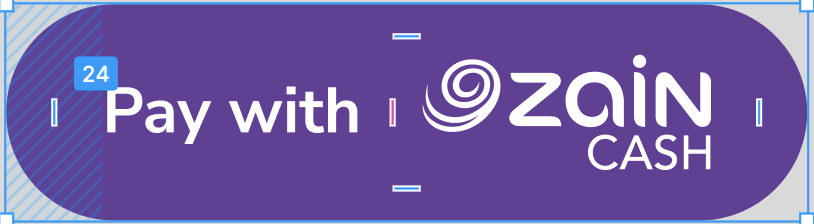
3. Largest Button Size (Maximum Recommended)
- Avoid going too large — keep it balanced and professional.
Largest size:
- Width:300–320px
- Height:56–64px
Padding (Recommended)
- Horizontal padding:24–32px
- vertical padding:14-16px
Largest Button Size

Test credentials used to make tests in a safe environment to try and handle all possible responses before going live.
Please use the following merchant credentials to test transaction ID creation and status checks. Ensure you copy the credentials exactly as shown, without spaces, and note that the secret key must be entered as a single line.
# | MSISDN | Client ID | Client Secret |
|---|---|---|---|
| 1 | 9647829744545 | 758055f4a8044779a35f6ceb69f858b3 | bibLCGTxVAig5To3OLLKPJQMlRR7Pefp |
Please select one of the following customer test wallets to submit your transaction.
# | MSISDN | PIN | OTP |
|---|---|---|---|
| 1 | 9647802999569 | 1111 | 111111 |
| 2 | 9647829744432 | 1111 | 111111 |
| 3 | 9647829744464 | 1111 | 111111 |
| 4 | 9647829744474 | 1111 | 111111 |
Finished testing? Congratulations! You are ready to move to the live environment.
If you have already submitted your business request: Please contact your Business Development Account Manager to obtain your live credentials.
If you haven’t submitted a request yet, please complete your application by clicking here.
Once your business is registered in the ZainCash system, you will gain full access to our powerful reporting portal.
1- Check Your Email: You will automatically receive your login credentials from [email protected].
2- Log In: Access the Merchant Dashboard using your provided Merchant Password.
3- Take Control: Search transactions, view real-time history, and process reversals or partial refunds with one click.
Didn’t find what you’re looking for?
If you require any support or have questions not covered in this documentation, please open a request through our Ticket System.
Our team is available Sunday through Thursday, from 9:00 AM to 5:00 PM (Baghdad Time). We strive to respond to all inquiries within 12–24 hours on business days. While response times may occasionally be extended during peak periods, we are committed to providing you with a resolution as quickly as possible.
Please refer to the Service Level Agreement (SLA) table below for detailed response times related to Production issues only:
Severity Level | Definition | Response Time | Resolution Time |
|---|---|---|---|
| P1 High | Complete Outage (Payment Gateway API down). Major degradation impacting a large portion of payments, but not a total outage. Merchant dashboard down, cash disbursement. | <1 Hour | <8 Hours |
| P2 Medium | Limited disruption affecting a subset of transactions or non-financial functions (e.g., merchant dashboard reports not updating real-time, no financial loss). | <4 Hours | <24 Hours |
| P3 Low | Minor/localized issues with no significant business or financial impact (e.g., single refund delayed, individual user cases) or settlement delayed by 1 day. | <1 Business Day | <10 Business Days |
Note: While we aim to provide the best support possible, please keep in mind that it only extends to resolving technical matters. We will not implement the integration for you or fix unrelated issues. However, we will suggest fixes and provide guidance.